Custom vs. Template: Best Medical Practice Website Design?
Compare cost, speed, SEO, and patient trust to pick the best medical practice website design for your clinic in 2026.

Key Takeaways
-
Your website works as a digital front desk: patients judge your practice in seconds, so a slow or confusing site means losing bookings to competitors they never see.
-
A template is cheaper and launches in days, but it looks like everyone else's, limits SEO control, and often hits a ceiling as your practice grows.
-
A custom build is tailored to your ideal patients, loads faster with leaner code, and scales to new locations or services without a full rebuild.
-
Every medical site needs a mobile-first layout, click-to-call and booking buttons on every page, provider bios with photos, dedicated service pages, and visible reviews.
-
Use secure hosting with an SSL certificate, and check with a compliance advisor before adding any intake form that collects health details.
-
Give each location its own page with local details, and keep your name, address, and phone number identical on your website and Google Business Profile.
Picture this. A patient in Brandon has a sore back and grabs her phone. She searches, taps a few results, and picks the clinic whose site looks clean, loads fast, and lets her book in two taps. The practice with the slow, confusing site? She never even knew it existed. That is what medical practice website design really comes down to in 2026.
Your website is your digital front desk. It greets patients, answers questions, builds trust, and fills your schedule. But you have a big choice to make. Do you start with a template, or do you invest in a custom build?
Don’t worry, we will walk through it together in plain English. We will compare both paths, look at cost, speed, SEO, and patient trust, and help you pick the right fit. Whether you run a solo clinic, a growing group practice, or a brand new startup office, this guide is for you.

What Medical Practice Website Design Really Means
Medical practice website design is more than picking colors and adding a photo of your team. It is the full plan for how your site looks, works, and turns visitors into booked patients.
A strong medical site does four jobs at once:
- Builds trust fast with real provider photos, credentials, and reviews.
- Explains services clearly so patients know if you treat their issue.
- Makes booking easy with simple forms, click-to-call buttons, and online scheduling.
- Gets found on Google through smart structure and local SEO.
Think of it like your office lobby. If it is messy or hard to navigate, people walk right back out. The same goes online, only they leave in about three seconds.
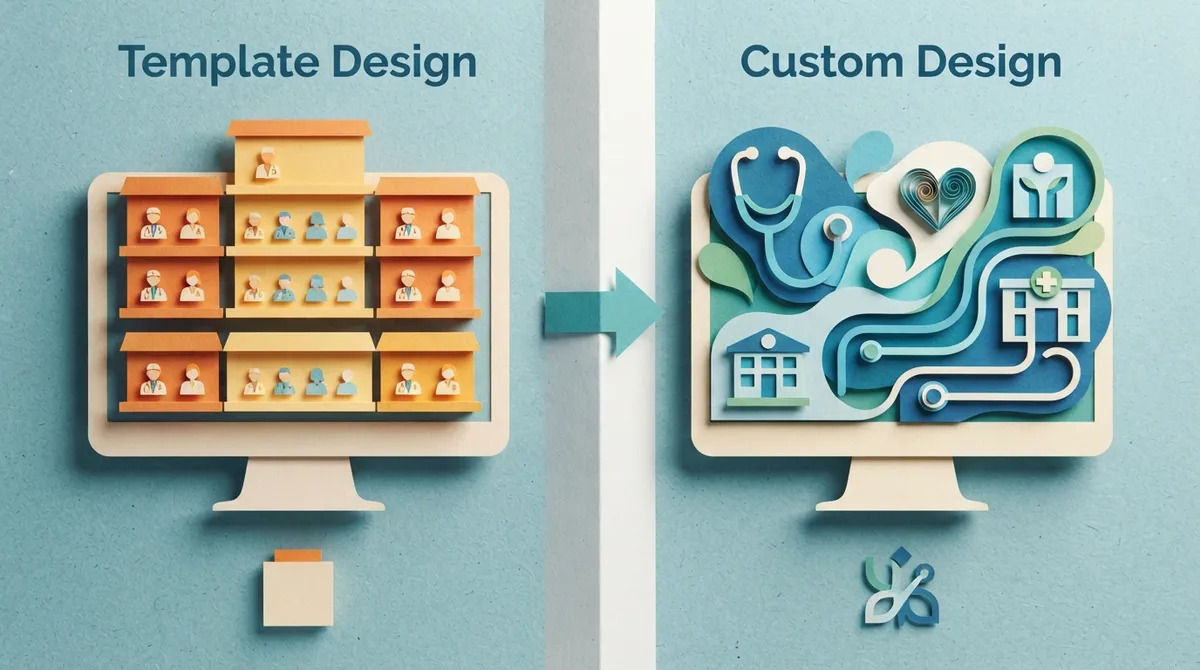
Template vs. Custom: The Quick Comparison
Let’s start with the big picture. Here is how the two approaches stack up side by side.
| Feature | Template Website | Custom Website |
|---|---|---|
| Upfront cost | Lower | Higher |
| Launch speed | Fast (days) | Moderate (weeks) |
| Design uniqueness | Shared with others | One of a kind |
| SEO flexibility | Limited | Fully controllable |
| Brand fit | Generic | Built around your practice |
| Growth and scaling | Often hits a ceiling | Grows with you |
| Page speed | Often bloated | Lean and optimized |
Neither is evil. Templates have their place. But for most practices that want steady patient growth, the details below matter a lot.

The Case for a Template Medical Website
Let’s give templates a fair shake. They can be a smart starting point for some practices.
Where Templates Shine
If you are opening a tiny office on a tight budget, a template gets you online quickly. You pick a layout, swap in your logo, add your text, and you are live. For a brand new practice that just needs a basic presence this month, that is a real win.
Where Templates Fall Short
The trouble shows up later. Thousands of other practices may use the same layout, so your site looks like everyone else’s. Patients notice. Templates also tend to carry extra code you do not need, which slows your pages down. And when you want a special feature, like a custom booking flow or a service-area page setup, you hit a wall.
Templates can also limit your SEO. If you cannot control page structure, headings, and URLs, it is harder to rank for the searches that bring in patients.

The Case for a Custom Medical Website
A custom website is built from the ground up around your practice, your patients, and your goals. Nothing is borrowed. Everything has a purpose.
Built Around Your Patients
With custom design, we start by asking who your ideal patient is. A pediatric clinic needs a warm, friendly feel. A cosmetic surgery center needs polished, high-end visuals. A physical therapy office needs clear service pages and easy booking. Custom work lets the design match the people you want to serve.
Better for SEO and Speed
Google rewards sites that load fast and are easy to understand. A custom site is built lean, with clean code and a smart page structure. That gives you a real edge in local search. If you want to dig deeper, check out our guide on SEO in website design vs. design first to see why planning for search from day one pays off.
Room to Grow
Maybe you add a second location next year. Maybe you add a new service line or a patient blog. A custom site handles that growth without a full rebuild. That is a big deal for growing companies and multi-provider practices.
Must-Have Features for Any Medical Practice Website
Whether you go template or custom, certain features are non-negotiable. Here is a quick checklist to hold any design up against.
- Mobile-first layout. Most patients search on their phones, so your site must look great on a small screen.
- Fast loading speed. Slow pages lose patients before they read a single word.
- Click-to-call and booking buttons. Make the next step obvious on every page.
- Provider bios with photos. Patients want to know who will care for them.
- Dedicated service pages. One page per service helps patients and helps SEO.
- Patient reviews and trust signals. Show real feedback, credentials, and affiliations.
- Clear location and hours. Include a map, parking info, and directions.
- Accessibility basics. Readable fonts, strong color contrast, and alt text for images.
Miss a few of these and you leave patients on the table. Hit them all and your site starts working like your best front-desk employee.
Privacy, Security, and Trust
Medical websites carry extra responsibility. Patients share sensitive details, so your site should feel safe and be built carefully.
At a minimum, use secure hosting with an SSL certificate so your site shows the padlock. Be careful with forms that collect health details. Ask your compliance advisor what rules apply to your practice, since requirements vary. The U.S. Department of Health and Human Services explains the basics on its HIPAA information page, which is a good starting point before you launch any intake form.
Good security also supports trust. Patients are more likely to book when a site feels professional and protected. For more on why hosting choices matter, see our post on hosting mistakes that kill your website.
How Design Affects Your Local SEO
Here is where medical practice website design connects to real patient growth. Most patients search close to home with phrases like “urgent care near me” or “family doctor in Tampa.” Your site needs to speak that language.
Location Pages That Work
If you serve more than one area, give each location its own page with unique content. Mention the neighborhoods, nearby landmarks, and the services you offer there. This helps you show up in the right local searches.
Pairing Your Site With Your Google Profile
Your website and your Google Business Profile should work as a team. The same name, address, and phone number should appear on both. Consistent info builds trust with Google and with patients. Learn more in our guide on what local SEO is and why it is important.
You can also see what real clients say about working with us by checking out our reviews on Google.
Cost: What to Expect in 2026
Let’s talk money, because it matters. A DIY template site can cost very little upfront, but you pay in time and missed opportunities. A professional custom build costs more, but it is an investment that earns patients back.
At Brain Buzz Marketing, our packages are built to be fair for small and growing practices:
- Starter Website Package, $800: up to 5 pages, perfect for a new or small clinic that needs a professional presence.
- Growth Website Package, $1,500: 10 pages plus a blog, great for established practices with multiple services or locations.
- Custom estimate: if your needs do not fit a package, our website price estimator gives you a clear number.
You can also view our full website pricing to compare options. Remember, one new patient can be worth hundreds or thousands of dollars over time. A site that brings in even a few extra patients each month pays for itself fast.
Which Option Wins for Your Practice?
So, template or custom? Here is a simple way to decide.
Choose a template if you are just opening, have almost no budget, and need a basic placeholder while you get started. Plan to upgrade within a year.
Choose custom if you want to stand out, rank on Google, grow your patient base, and have a site that reflects your real brand. For most practices that plan to be around for years, custom is the stronger long-term move. We break down this same debate for local businesses in Template vs. Custom: Which Tampa Web Design Wins?
Already have a site that is not performing? You do not have to start from zero. A smart refresh can fix speed, structure, and SEO. Our post on signs it’s time for a website redesign can help you decide.
Why Brain Buzz Marketing for Your Medical Website
We are Brain Buzz Marketing, a small but mighty team run by husband-and-wife duo Eric and Nicole. We have been helping businesses grow online since 1998. As a 100% virtual agency, we work with practices across Florida and the entire United States, with deep roots in Brandon, Riverview, Tampa, and the surrounding Tampa Bay area.
We build with patients in mind, then layer in the SEO, speed, and trust signals that turn clicks into appointments. You can learn more about our custom website design process, or see how we approach SEO to help your new site get found.
Want to see our work? Browse our portfolio and read what clients say on our testimonials page.
Final Thoughts
Your website is often the first handshake between you and a new patient. A template can get you started, but a custom medical practice website design gives you the speed, trust, and search visibility that fill your schedule over the long haul. Think of it as an investment in the front door of your practice.
Ready to build a site your patients will love? Contact us today and let’s talk about the right path for your practice. We would be happy to help.
FAQs
Q: How much does medical practice website design cost?
A: It depends on the size and features you need. At Brain Buzz Marketing, our Starter package begins at $800 for up to 5 pages, and our Growth package is $1,500 for 10 pages plus a blog. If you need something different, our website price estimator will give you a clear number.
Q: What pages should a medical practice website have?
A: At a minimum, you want a home page, an about page with provider bios, individual service pages, a contact page with hours and directions, and an easy way to book. A blog and patient reviews are great extras that build trust and help you rank on Google.
Q: Is a custom website really better than a template for a clinic?
A: For most practices planning to grow, yes. A custom site loads faster, stands out from competitors, and gives you full control over SEO. Templates can work as a short-term starting point, but many practices outgrow them quickly.
Q: How long does it take to build a medical practice website?
A: A template site can go live in a few days, while a custom build usually takes a few weeks. The timeline depends on how quickly you can share your photos, content, and approvals. A little planning up front keeps things moving smoothly.
Our Service Area