
Key Takeaways
-
Prioritize mobile-first design with touch-friendly elements, as over 60% of web searches happen on mobile devices
-
Optimize site speed by compressing images, minimizing code, and strategically using fonts and animations
-
Create a logical website structure where important pages are within three clicks of the homepage
-
Use descriptive alt text and optimize images to improve search visibility and page performance
-
Implement clean, semantic HTML with proper heading tags to help search engines understand content hierarchy
-
Design scannable content with subheadings, bullet points, and white space to improve user engagement
-
Place strategic, visually prominent calls-to-action that feel natural and guide visitors toward specific actions
Your website is the digital face of your business, but having a beautiful site means nothing if nobody can find it. That’s where the powerful combination of web design and SEO comes into play. These two elements aren’t separate projects—they’re partners that work together to attract visitors, keep them engaged, and convert them into loyal customers. When you align your design decisions with search engine optimization strategies, you create a website that looks stunning AND ranks high in search results.
Many business owners make the mistake of treating web design and SEO as separate projects. They build a gorgeous website first, then try to “add SEO” later. This backwards approach creates problems that are expensive and time-consuming to fix. The smart approach? Build SEO considerations into your design from day one. This article will show you exactly how to create a website that satisfies both human visitors and search engine algorithms.
Whether you’re launching a new website or redesigning an existing one, understanding how design choices impact your search rankings is essential. From site speed and mobile responsiveness to navigation structure and content layout, every design decision affects your ability to attract organic traffic. Let’s explore how to make these two critical elements work together seamlessly.

Understanding the Connection Between Design and Search Rankings
Web design and SEO might seem like different disciplines, but they share a common goal: creating the best possible experience for your website visitors. Search engines like Google have become incredibly sophisticated at evaluating user experience signals. They measure how long people stay on your site, whether they click away immediately, and how easily they can find what they’re looking for.
Your design choices directly impact these user experience metrics. A cluttered layout with confusing navigation sends visitors running for the back button, which tells Google your site isn’t valuable. On the other hand, a clean, intuitive design keeps people engaged longer, reducing your bounce rate and improving your rankings. The colors you choose, the fonts you select, and the way you organize information all contribute to these critical metrics.
Modern search algorithms also prioritize technical factors that fall squarely in the design realm. Page load speed, mobile responsiveness, and proper HTML structure are ranking factors that your design team controls. When you work with professionals who understand both disciplines, like the team at Brain Buzz Marketing, you get a website built with these considerations from the ground up.

Essential Design Elements That Boost Search Rankings
Creating an SEO-friendly design requires attention to specific elements that search engines evaluate. These aren’t optional extras—they’re fundamental building blocks that determine whether your site thrives or gets buried in search results.
Site Speed and Performance Optimization
Nobody waits for slow websites anymore. Studies show that 53% of mobile users abandon sites that take longer than three seconds to load. Google knows this, which is why page speed is a confirmed ranking factor. Your design choices dramatically impact loading times.
Here are the design decisions that most affect site speed:
- Image optimization: Large, uncompressed images are the number one cause of slow websites
- Code efficiency: Clean, minimal code loads faster than bloated, unnecessary scripts
- Font choices: Custom fonts add loading time, so use them strategically
- Animation and effects: Fancy animations look cool but can dramatically slow your site
- Third-party integrations: Every plugin or widget adds additional loading time
The best approach is to test your site speed regularly and make design adjustments based on real performance data. Tools like Google PageSpeed Insights show you exactly which design elements are slowing you down. Making your site fast isn’t just good for SEO—it’s essential for keeping impatient visitors from leaving.
Mobile-First Design Philosophy
More than 60% of web searches now happen on mobile devices. Google switched to mobile-first indexing years ago, which means they primarily use the mobile version of your site for ranking purposes. If your site doesn’t work beautifully on smartphones, you’re essentially invisible in search results.
Mobile-responsive design isn’t optional anymore—it’s the baseline requirement. But truly mobile-optimized design goes further. It means designing for small screens first, then scaling up for desktops. This approach ensures that your most important content and calls-to-action are easily accessible on every device.
Key mobile design considerations include:
- Touch-friendly buttons and links that are easy to tap with fingers
- Readable text without zooming (minimum 16px font size)
- Simplified navigation that works on small screens
- Fast-loading images optimized for mobile bandwidth
- Forms that are easy to complete on touch devices

Navigation Structure and Information Architecture
The way you organize and structure information on your website affects both user experience and search engine crawlability. A logical, intuitive navigation system helps visitors find what they need quickly while helping search engines understand your site’s hierarchy and most important pages.
Your main navigation should be clean and straightforward, with clear labels that tell people exactly what they’ll find. Avoid clever or ambiguous menu names that confuse visitors. Search engines rely on your navigation structure to understand which pages are most important and how they relate to each other.
Creating an SEO-Friendly Site Structure
Think of your website structure like a pyramid. Your homepage sits at the top, with main category pages one level below, and specific content pages beneath those categories. This hierarchical structure helps search engines understand the importance and relationships between your pages.
Here’s how to structure your site for maximum SEO benefit:
- Keep important pages within three clicks from your homepage
- Use descriptive, keyword-rich URLs that reflect your site structure
- Create logical categories that group related content together
- Include breadcrumb navigation to show users and search engines the page hierarchy
- Link related pages together to create topical clusters
Brain Buzz Marketing specializes in creating website structures that make sense to both humans and search engines. A well-planned architecture means visitors can find what they need intuitively, and search engines can efficiently crawl and index all your valuable content.
Internal Linking Strategy
Internal links are the connections between different pages on your website. They’re crucial for both user navigation and SEO. When you link from one page to another using relevant anchor text, you help search engines understand what those pages are about and how they relate to each other.
Design your content layout to naturally incorporate internal links. Related article suggestions, call-out boxes, and contextual links within your content all serve this purpose. The key is making these links helpful for users, not just stuffing in links for SEO purposes. For more information on this topic, check out our detailed guide on on-page SEO strategies.
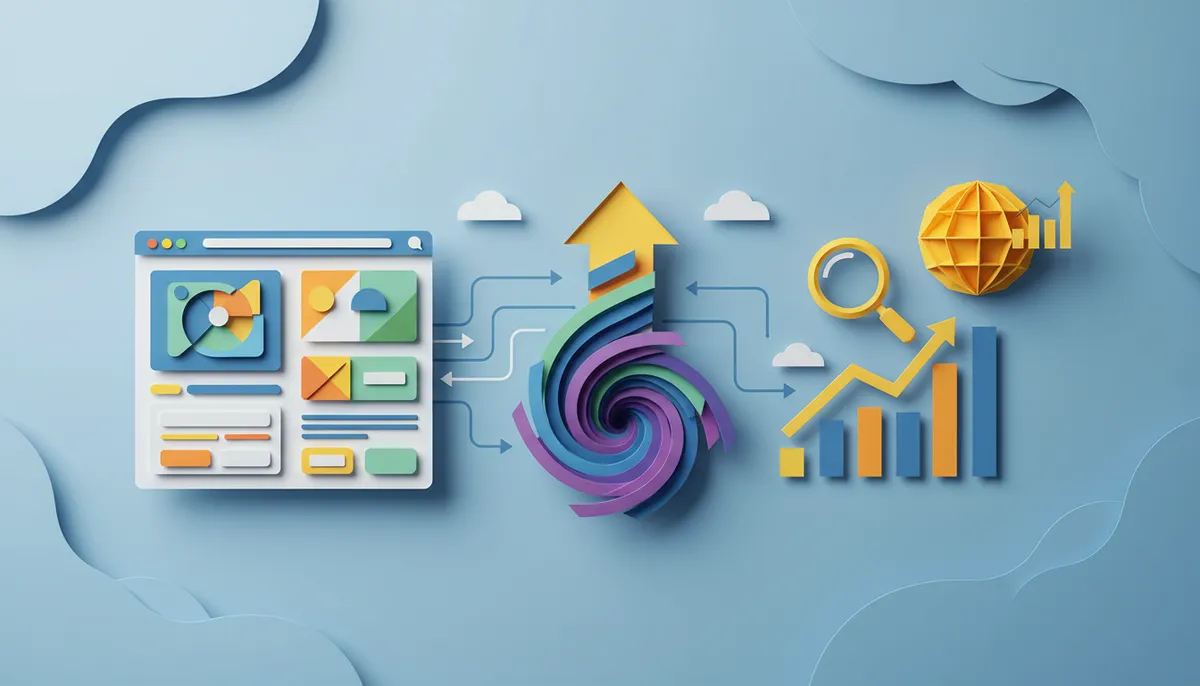
Visual Design Elements and SEO Performance
Beautiful design attracts visitors, but it needs to be implemented in ways that search engines can understand and appreciate. Visual elements like images, videos, and graphics make your content more engaging, but they need proper optimization to avoid hurting your rankings.
Image Optimization Techniques
Images make your website more attractive and help communicate ideas quickly. However, large image files are the most common cause of slow-loading websites. Every image you add should be optimized before uploading.
Follow these image optimization best practices:
- Compress images without losing visible quality (aim for under 200KB per image)
- Use appropriate file formats (JPEG for photos, PNG for graphics with transparency, WebP for modern browsers)
- Add descriptive alt text that explains what the image shows
- Use descriptive, keyword-relevant file names instead of generic ones like “IMG_1234.jpg”
- Implement lazy loading so images only load when visitors scroll to them
Alt text serves two critical purposes. It helps visually impaired users understand your images through screen readers, and it tells search engines what your images depict. This makes your images discoverable in image search results, creating another traffic source for your website.
Typography and Readability
The fonts you choose and how you format text directly impact how long people stay on your site. Large blocks of unbroken text scare readers away. Break up your content with subheadings, short paragraphs, bullet points, and white space.
Readability affects SEO because it influences user engagement metrics. When people can easily scan and consume your content, they stay longer and interact more with your site. These positive engagement signals tell search engines your content is valuable, improving your rankings over time.
Technical SEO Considerations in Web Design
Behind every beautiful website lies a foundation of technical elements that search engines use to evaluate and rank your site. These technical factors might not be visible to your visitors, but they’re crucial for search engine success. According to Google E-E-A-T guidelines, technical excellence is part of demonstrating trustworthiness to both users and search engines.
Clean Code and HTML Structure
Search engines read the code behind your website, not just what appears on screen. Clean, semantic HTML helps search engines understand your content structure and hierarchy. Proper use of heading tags (H1, H2, H3) creates a clear outline of your content that both humans and algorithms appreciate.
Every page should have exactly one H1 tag that describes the main topic, followed by H2 tags for major sections, and H3 tags for subsections. This hierarchical structure makes your content easier to scan and helps search engines identify your most important points.
Schema Markup Implementation
Schema markup is code you add to your website that helps search engines understand your content in greater detail. It enables rich snippets in search results—those enhanced listings with star ratings, prices, or other eye-catching details that stand out from regular results.
Implementing schema markup requires coordination between design and SEO efforts. Your design team needs to include the proper code structures, while your SEO specialist determines which schema types are most relevant for your content. Common schema types include local business information, product details, article metadata, and FAQ sections.
| Technical SEO Element | Impact on Rankings | Design Responsibility |
|---|---|---|
| Page Load Speed | High | Image optimization, code efficiency, hosting quality |
| Mobile Responsiveness | Critical | Responsive layouts, touch-friendly elements |
| URL Structure | Medium | Clean, descriptive URLs without unnecessary parameters |
| SSL Certificate | High | Secure HTTPS implementation across entire site |
| Structured Data | Medium | Schema markup integration in page templates |
Content Layout and User Experience Optimization
How you present your content is just as important as the content itself. The layout, spacing, and visual hierarchy guide visitors through your information and determine whether they take action or leave frustrated. Smart content design keeps people engaged and encourages them to explore deeper into your site.
Creating Scannable Content
Most website visitors don’t read every word—they scan pages looking for information relevant to their needs. Your design should accommodate this behavior by making content easy to scan quickly. Use visual cues that draw attention to important information.
Effective scanning elements include:
- Descriptive subheadings that summarize each section
- Bullet points and numbered lists for easy information absorption
- Bold text to highlight key concepts (use sparingly)
- Short paragraphs of 2-4 sentences maximum
- Plenty of white space between sections
- Visual breaks like images, quotes, or dividers
When visitors can quickly find the information they need, they’re more likely to stay on your site longer and explore additional pages. This increased engagement time sends positive signals to search engines about your content quality.
Call-to-Action Placement and Design
Every page on your website should guide visitors toward a specific action, whether that’s contacting you, making a purchase, or reading more content. Your calls-to-action (CTAs) need to be visually prominent without being obnoxious or disruptive to the user experience.
Strategic CTA placement includes positioning them after you’ve provided value, not before. People need to understand what you offer and why they should trust you before they’re ready to take action. Design your CTAs to stand out through color contrast, size, and placement, but ensure they feel like a natural next step rather than an interruption.
Choosing the Right Platform for SEO-Friendly Design
The platform or content management system you choose as the foundation for your website significantly impacts your ability to implement SEO best practices. Some platforms make optimization easy with built-in features and flexibility, while others create obstacles that require expensive workarounds.
WordPress for Maximum Flexibility
WordPress powers over 40% of all websites on the internet, and for good reason. It offers unmatched flexibility for both design customization and SEO optimization. With thousands of themes and plugins available, you can create virtually any design while maintaining complete control over your SEO elements. At Brain Buzz Marketing, we specialize in custom WordPress websites that balance beautiful design with powerful SEO capabilities.
The platform makes it easy to customize critical SEO elements like title tags, meta descriptions, URL structures, and heading hierarchies. Quality SEO plugins extend functionality even further, giving you granular control over how search engines see and index your content. Plus, WordPress sites can grow with your business, scaling from a simple five-page website to a complex platform with hundreds of pages.
Platform Comparison for SEO Capabilities
Different platforms offer varying levels of SEO control and design flexibility. Consider these factors when choosing your website platform:
- Ease of customizing URL structures and permalinks
- Ability to edit meta tags and structured data
- Control over site speed and performance optimization
- Mobile responsiveness options and flexibility
- Plugin or app ecosystem for extending functionality
- Technical support and development community
| Platform Feature | Why It Matters for SEO | What to Look For |
|---|---|---|
| Customizable URLs | Clean URLs rank better and are more user-friendly | Ability to remove unnecessary parameters and dates |
| Meta Tag Control | Determines how your pages appear in search results | Easy editing of titles, descriptions, and social tags |
| Speed Optimization | Faster sites rank higher and convert better | Built-in caching, image optimization, code minification |
| Mobile Editing | Mobile-first indexing requires perfect mobile experience | Separate mobile customization options |
Common Web Design Mistakes That Hurt SEO
Even experienced designers sometimes make choices that negatively impact search rankings. Being aware of these common pitfalls helps you avoid them during your website project. Many of these mistakes are easy to fix once you know what to look for.
Design Choices That Block Search Engines
Some design trends look impressive but create barriers for search engine crawlers. Heavy use of JavaScript for navigation or content rendering can prevent search engines from accessing your pages. While Google has improved at rendering JavaScript, it’s still more reliable to ensure your core content and navigation work without JavaScript enabled.
Flash-based elements and content hidden behind complex interactive features also create problems. If search engines can’t access and understand your content, they can’t rank it. The solution is to use progressive enhancement—make sure your site works with basic HTML and CSS first, then add JavaScript enhancements for users whose browsers support them.
Mistakes to Avoid
Here are the most common design mistakes that damage SEO performance:
- Using images for important text instead of actual HTML text
- Creating separate mobile and desktop versions (use responsive design instead)
- Blocking important pages from search engines with robots.txt or noindex tags
- Using generic, duplicate title tags across multiple pages
- Creating confusing navigation that buries important pages
- Ignoring page speed optimization during the design phase
Many business owners don’t realize their design choices are hurting their search rankings until they invest in professional SEO services. Working with an agency that understands both design and optimization, like Brain Buzz Marketing, prevents these costly mistakes from the start.
Measuring the Success of Your SEO-Friendly Design
You can’t improve what you don’t measure. After launching your new website or making design changes, tracking specific metrics helps you understand what’s working and what needs adjustment. SEO is a long-term game, but you should see positive trends within a few months of implementing best practices.
Key Performance Indicators to Monitor
Focus on metrics that reflect both search engine performance and user experience. Organic traffic shows how many people find your site through search engines. Track this overall and for specific important pages. If your traffic isn’t growing, your design or content strategy needs adjustment.
Engagement metrics reveal how visitors interact with your design. Bounce rate shows the percentage of visitors who leave after viewing only one page. High bounce rates often indicate design problems like slow loading, confusing navigation, or poor mobile experience. Average session duration and pages per session show how engaging your content and design are.
Important metrics to track include:
- Organic search traffic from search engines
- Keyword rankings for your target search terms
- Page load speed across different devices
- Bounce rate and time on page
- Conversion rate for your primary goals
- Pages per session and navigation patterns
Tools like Google Analytics and Google Search Console provide all this data for free. Set up regular reporting so you can spot trends and issues quickly. The insights you gain from this data should inform future design and content decisions.
Continuous Improvement and Optimization
Launching your website isn’t the end of your SEO journey—it’s the beginning. Search algorithms constantly evolve, user preferences change, and your competition isn’t standing still. The most successful websites treat design and SEO as ongoing processes rather than one-time projects.
Regular content updates keep your site fresh and give you opportunities to improve your search rankings. Add new pages targeting additional keywords, update existing content with current information, and refine your design based on user behavior data. Small, consistent improvements compound over time into significant ranking gains.
A/B testing different design elements helps you discover what resonates best with your audience. Test different layouts, CTA placements, color schemes, and content formats. Let data guide your decisions rather than assumptions or personal preferences. What looks good to you might not perform well with your target audience.
Staying Current with Best Practices
The digital marketing landscape changes rapidly. New design trends emerge, search algorithms update, and user expectations evolve. Staying informed about industry changes helps you maintain your competitive advantage. Our team at Brain Buzz Marketing stays on top of these changes so our clients’ websites remain optimized for success.
Following industry resources, attending webinars, and working with experienced professionals keeps you ahead of changes that could impact your rankings. When Google announces algorithm updates, evaluate how they affect your site and make necessary adjustments quickly.
Bringing It All Together for Online Success
Creating a website that excels at both design and SEO isn’t complicated when you understand the principles that matter most. Beautiful design attracts visitors and keeps them engaged, while solid SEO ensures they can find you in the first place. These two elements work together to create a website that generates real business results.
Start with a mobile-first approach that prioritizes speed and user experience. Structure your site logically with clear navigation and internal linking. Create content that’s easy to scan and engage with, using visual elements strategically without sacrificing performance. Pay attention to technical details like clean code, schema markup, and proper HTML structure.
Most importantly, view your website as an evolving asset rather than a finished product. Regular updates, continuous testing, and staying current with best practices ensure your site maintains its competitive edge. The businesses that succeed online are those that commit to ongoing improvement and optimization.
Whether you’re building a new website or improving an existing one, the principles in this guide will help you create a digital presence that looks great and ranks well. If you’re ready to create a website that combines stunning design with powerful SEO, the team at Brain Buzz Marketing is here to help. We’ve been helping businesses succeed online since 1998, and we’d love to put our expertise to work for you. Reach out to our team today to discuss how we can help your business thrive online.
FAQs
Q: What’s the difference between web design and SEO?
A: Web design focuses on how your website looks and functions for visitors, while SEO focuses on making your site visible in search engines. However, they’re deeply connected—your design choices directly impact your search rankings. Things like site speed, mobile responsiveness, and navigation structure are both design and SEO considerations. The best approach is to integrate both from the start rather than treating them as separate projects.
Q: Can I add SEO to my website after it’s already designed?
A: Yes, you can add SEO to an existing website, but it’s more challenging and expensive than building it in from the beginning. Some design choices that hurt SEO require significant redesign work to fix. For example, if your site is slow or not mobile-friendly, fixing these issues often means rebuilding major portions of your website. That’s why it’s smarter to consider SEO during the design phase rather than trying to retrofit it later.
Q: How long does it take to see SEO results from a new website design?
A: Most websites start seeing meaningful SEO improvements within 3-6 months after launching a well-optimized design. However, the timeline depends on many factors including your industry competition, the quality of your content, and your domain’s history. You’ll typically notice some positive changes within the first month, like improved page speed scores and better mobile usability. Significant ranking improvements take longer as search engines need time to crawl, index, and evaluate your new or redesigned site.
Q: What’s the most important design factor for SEO?
A: While many design factors affect SEO, mobile responsiveness is probably the most critical in 2026. Google uses mobile-first indexing, which means they primarily evaluate the mobile version of your site for ranking purposes. If your site doesn’t work perfectly on smartphones and tablets, you’ll struggle to rank well regardless of other optimization efforts. After mobile responsiveness, site speed is the next most important design factor affecting your search rankings.
Q: Do I need to hire separate designers and SEO specialists?
A: Not necessarily—the best approach is working with a team or agency that understands both disciplines and how they connect. When designers and SEO specialists work together from the start, you avoid conflicts and costly redesigns later. Some agencies, like Brain Buzz Marketing, offer integrated services where design and SEO expertise are built into every project. This collaborative approach produces better results than hiring separate specialists who work independently without coordinating their efforts.